Are you here because you're asking, "What is workflow automation, and how can I use it to improve my business?"
If so, great! There are many practical ways to automate processes and workflows across your company. One of them is to use workflow automation software. I will get into specifics, define workflow automation, and explain a few practical cases where this technology can help you grow.
Then, I will share a few best practices for automating workflows and offer our advice on choosing workflow automation software that meets your needs. The last thing we will do is answer all your burning questions in the FAQS.
So let's dive in...
What is workflow automation? And what is workflow automation software?
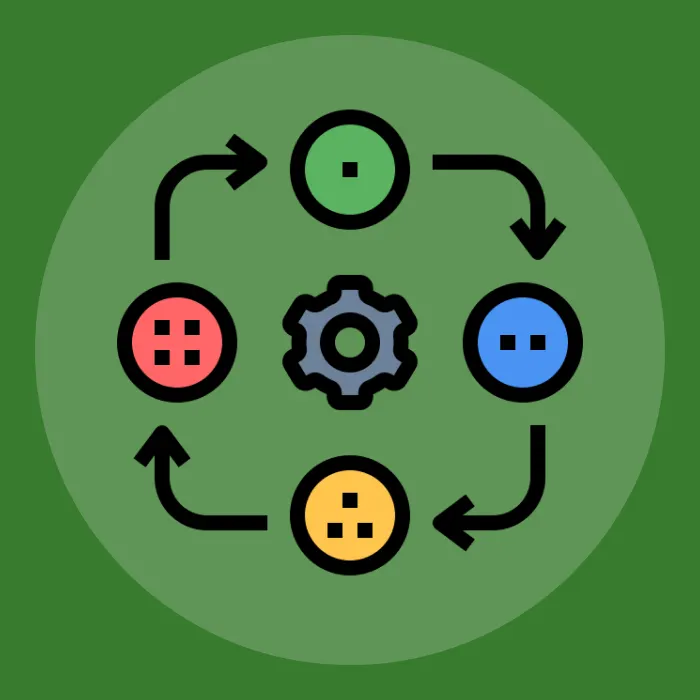
Every job has a list of tasks that must be performed throughout the day. A workflow is the series of steps required to complete each task. The workflow is manually moved from step A to step B without technical or software intervention. Here are a few examples:
- Converting visitors into email subscribers
- Helping users via customer support
- Scheduling recurring payments
- Onboarding new hires
Manual workflows are slow, error-prone, and more expensive than their automated counterparts. Consider the difference between automatically segmenting your customers using predefined rules and hiring someone to review every contact form.
Business leaders can use automated workflows across virtually every department, regardless of whether they are digital-only or have physical locations. Simply put, workflow automation is a way to automate repetitive tasks in a way that's easy, effective, and cost-effective. Automating specific workflows can dramatically improve employee productivity and customer satisfaction.
Workflow automation software is any tool that automates manual tasks, delivering near-instant results. As you'll soon learn, many different types of software can help you streamline everything from customer service to internal documentation.
What are the top benefits of workflow automation?
Now that you have a better understanding of workflow automation, let's discuss a few specific benefits of adopting this strategy.
1. Operation efficiency
Business leaders and marketing teams across all industries have improved how their brands operate internally by automating workflows. There's software available now that makes it easy to automate your communication channels, task management, payroll, onboarding, and so much more. These small but meaningful changes make it easier for employees to do their jobs, resulting in a better experience for everyone. For example, a company uses automation technology to onboard new employees and get them comfortable in their roles faster than traditional training.
2. Instantly deliver lead magnets/digital purchases
You want customers to receive their lead magnet or coupons immediately. Failure to deliver on your promises can damage trust and lead to a severe drop in engagement. Automation can help you quickly get content, coupons, and more to email and social media subscribers. When you consistently deliver high-quality content and offers, people are more likely to interact with your brand and become customers. Email automation software use it immediately can automatically send a digital product to your customers so they can immediately use their purchase.
3. Segment new email subscribers
Segmenting your lead list is a crucial step in growing your business. This means segmenting your audience by demographics, interests, and pain points. Automation can help you quickly understand users' goals and pain points, creating more opportunities for personalization. When you consider that 80% of online shoppers want more personalized offers and content, it's clear why workflow automation software is a significant benefit. For example, your email software sends a welcome email to visitors, asking them to select their preferences for future interactions. Based on their choices, the software will assign subscribers to a list that closely matches their interests.
4. Streamline customer service
Instead of sending customers to multiple agents, you can use automation software to identify their needs and route them to the appropriate department. Automating this workflow will reduce friction for your customer service team, resulting in better experiences for agents when interacting with customers. You can also automate customer support so a human agent doesn't have to get involved. This strategy is well-suited for customers with questions about their orders or who want to change their passwords. However, you should never fully automate your customer service, as 63% of people say they are more likely to return to a website that has a live chat option. For example, a chatbot greets your customers with a common problem and directs them to a helpful resource from your blog. Meanwhile, your support team is available to assist users with nuanced issues that require additional attention.
5. Schedule content
Another effective use of workflow automation is to schedule blog content and social media posts. 4.62 billion people use social media, and 70%. You don't need a social media manager to post every 4 hours. Similarly, you don't have to worry about hitting the publish button on your blog posts on a consistent schedule. Instead, use automation to schedule weeks or months in advance. Use the extra time to plan future content, work on other projects, and more. For example, you post your Black Friday social media posts the week before the shopping season begins. Instead of having team members trip over each other to get posts out, you can sit back and watch them effortlessly pop up. Your social media support staff has less stress and more time to help users with questions or concerns.
What is the best workflow automation software?
Now, let's look at a few of the top workflow automation software options on the market. Below, you'll find detailed information on each product, along with our recommendation at the end of the post.
1. Zapier
Zapier is one of the best-known workflow automation platforms on the market. The highlight of this tool is Zaps, which allows you to create 100-step automated workflows.
Best Features
Many features set Zapier apart. One noteworthy feature is the ability to connect over 5,000 tools and programs to this software. Connecting with email subscribers and promoting your products on social media has never been easier. Zapier is multi-tasking done right. You can also use conditional logic to change the outcome of your plan. If your Zap includes emailing a new subscriber, you can set rules for what happens next if they open your email but don't click through. This automated decision-making will give you more time to focus on other essential aspects of your business.
Pros
- Quickly and safely move bulk data between applications. - Automate on a consistent schedule with Zaps.
- Build your app integrations and workflows. If you can't find something you like, make something new!
- If you need help, this tool has built-in training guides via Zapier University.
- Conditional logic takes extra thinking and roadblocks out of the equation because you've already anticipated the outcomes and planned accordingly.
Cons
- Debugging isn't as intuitive as it could be, which leads to many instances of restarting workflows from scratch.- The free plan isn't generous enough for some people to commit to a purchase.
- You cannot collaborate on tasks unless you upgrade to the more expensive team plan.
Pricing
The pricing is flexible based on how many actions you want to take each month. For instance, 100 actions or fewer for one person is free. So it's better, please do check their pricing page. Zapier is undoubtedly one of the best ways to combine tools you're already using and automate your workflows. This tool is an excellent option to simplify your existing processes without changing service providers.
2. Process.st
Process.st is a great workflow automation tool that can help you manage everything from your content marketing team to your onboarding process.
Best Features
Process.st is another workflow automation software that makes managing your small business easy. You can quickly and easily create workflows with a no-code builder. This tool enables real-time collaboration, allowing you to work efficiently with your team to plan projects and automate critical tasks. Once you create a task, you can edit it, add media, leave comments, and more. These communication options reduce friction and help different teams collaborate to achieve common goals. You can also use Process.st to manage documentation and training assets. When new hires join the team, you can automate their onboarding process and watch them get comfortable with the company.
Pros
- Stay ahead of the curve and automate workflows and projects months in advance. - Excellent tool for managing your customer service team and onboarding new employees.
- The pro version has over 3,000 integrations.
- Manage entire teams within your company with the group feature.
- It is fully responsive, so it works great on mobile and desktop.
Cons
- Large teams may struggle to adopt this tool, as the price is steep if you have hundreds of employees. - Limited task tracking (cannot track individual subtasks).
Pricing
It offers a limited-access, free 14-day Pro Plan trial. It also offers various packages, so please check the latest pricing here. Process.st is a good tool if you have a small team and want to improve how you all work together throughout the day.
3. Snov.io
Snov.io is a workflow automation tool designed to generate sales and build customer rapport.
Best Features
Snov.io is a suite of marketing tools, and it includes a built-in CRM that makes it easy to manage your leads and customers, regardless of where they are in your sales funnel. Once you've added your lists, you can automate an email series to send at key times. For example, if a user adds an item to their shopping cart but leaves without checking out, you can trigger an email series to encourage them to return and complete their purchase. Depending on the subscriber's response to the email, you can automatically determine the next steps. Since your data is in one place, you can accurately identify trends and improve customer engagement over time.
Pros
- Automatically build rapport with your leads based on their engagement with your emails.- Engage existing customers by creating personalized multi-step email campaigns tailored to their goals and pain points.
- Email finder and verification tools reduce bounce rates and increase open rates.
Cons
- The cost may be a bit high for startups/small businesses, as this sales automation tool is part of a larger bundle.- There is a learning curve, especially compared to other tools on this list.
Pricing
Snov.io has a free trial that includes 150 credits. Other plans include: Starter Plan: $30 per monthPro Plan: $75 per monthManaged Service: Starts from $2,999 per month (Contact Sales)
4. Kissflow
Kissflow is an end-to-end workflow automation software that can help streamline operational efficiency and boost productivity.
Best Features
Kissflow enables managers and team members to collaborate and strategically automate workflows. Business leaders can use the builder to create schedules, simplify complicated tasks, assign new projects, and automate redundant tasks. If used correctly, this tool can save everyone at your company significant time and effort. The app is excellent for business and IT leaders alike. From content marketing more. Conversely, IT experts can use this tool to improve response time and agility while reinforcing data governance.
Pros
- The dynamic drag-and-drop builder makes this tool accessible to most people. Many customization options exist, so your team can make a workboard unique to their needs.
- Countless integration options mean Kissflow can help you maximize the value of the tools you're already using.
- Deep analytical reports make tracking individual progress and group projects effortless.
Cons
- Companies with small teams cannot use this product.- People who want a little room to create something from the ground up might not like the barriers this tool presents.
Pricing
Basic Plan- $1,500 per month
Enterprise Plan- Custom pricing
Kissflow is an excellent all-in-one tool for leaders who want to give their teams the freedom to build schedules, manage projects, and simplify tedious workflows.
5. Make
Make is a highly-rated workflow automation software renowned for its visual capabilities and intuitive design, enabling users to create powerful workflows with minimal coding. It supports marketing teams in automating lead generation, HR teams in streamlining hiring processes, and operations teams in ensuring smooth workflows. The platform integrates various systems seamlessly, enabling efficient data sharing and improved productivity, making it a favorite among teams seeking reliable automation solutions.
Key Features:
- Low-code tools for creating advanced workflows
- Intuitive and visually appealing interface
- Exceptional support for mobile automation
- Thousands of free workflow templates for quick implementation
- Supports integration with a wide range of apps and services
Pros:
- Easy-to-use drag-and-drop functionality
- Versatile use cases across different business functions
- Real-time monitoring and editing of workflows
- Scalable for small teams and large enterprises alike
- Extensive community resources and tutorials
Cons:
- 40-minute timeout limit, challenging for large or complex tasks
- Advanced integrations and features are locked behind paid plans
- Customer support response times can be slow
- Limited options for customizing automation organization
- Occasionally experiences performance lags with extensive workflows
Pricing:
- Free
- Core: $9/month
- Pro: $16/month
- Teams: $29/month
- Enterprise: Custom pricing
Ratings and Reviews:
- G2: 4.7/5 (200+ reviews)
- Capterra: N/A
Make stands out for its low-code approach, making it accessible for users with limited technical expertise while offering robust automation capabilities to boost efficiency across business processes.
6. Nintex
Nintex is workflow automation software designed to reduce paperwork and manual processes.
Best features
Nintex says it will speed up your existing workflows and ensure a smooth transition to the digital workspace, implying its product is primarily for people transitioning from a traditional office setting. Their software offers features that help business leaders, managers, and team members get more done faster.
Teams can work together to break complex plans into short, actionable steps. If your employees struggle to stay on task, this is a great way to guide their workflow and ensure tasks are completed on time. You can also use Nintex to manage your HR and sales paperwork.
Data is easily accessible and only available to team members with the proper permissions. You can automate processes like annual surveys, holiday emails, and more. These features make it easier for your HR department to focus on the 'human' side of their work. The biggest downfall of this product is the price point.
Pros
- Map out long-term projects so everyone involved can stay on track.- Reduce unnecessary paperwork and training documents. You can manage many aspects of HR and employee onboarding with Nintex.
- Customizable conditional forms make it easy to share internal data and collect customer data externally.
Cons
- The price point will be a deal breaker for most small business owners.- Even at the price point, customer service is only available for 8 hours per day, 5 days per week.
Pricing
Free 30-day trial, followed by: Pro Plan: $25,000 per year. Premium Plan: $50,000 per year.
Nintex may be a good fit for someone looking to transition from a brick-and-mortar business to a digital one. Better options are available if you don't fit this category.
7. Unito
Unito offers real-time 2-way syncing between SaaS apps and tools so that every device you connect is a shared source of truth.
Best features
Unito promotes itself as a 2-way "no-code" solution, meaning you don't need to write your logic or worry about "if this, then that" when connecting your apps to Unito. It's all point-and-click. You create a "flow" that contains rules and field mappings between tools to determine what gets synced and what doesn't.
There's a lot of room for customization in each flow, so you can get specific (or not) about what to keep in sync. Unito also supports custom fields, which can be extremely useful depending on your use case. It's highly accessible and flexible, making it an ideal solution for project managers, marketers, sales teams, development teams, and anyone who works in one tool but collaborates with teams in another.
Pros
- Real-time two-way syncing between tools.
- It's a "set it and forget it" platform that doesn't require maintenance.
- Intuitive interface with in-depth customization
- No-code setup makes it relatively easy to use
Cons
- There are fewer supported integrations than those of some competitors.
- The entry-level plan doesn't support custom fields
Pricing
Unito bills by "items in sync," which refers to the work items (e.g., tasks, tickets, spreadsheet rows, etc.) that get updated or changed by your Unito flows. So, if you have 50 tasks in one tool that you sync to a spreadsheet, you'd have 100 items in sync. More on their pricing page.
8. Flokzu
Flokzu is a cloud-based automation program. This tool's main appeal is that it can help you automate workflows, even if you have zero IT experience.
Best features
True to its reputation, Flokzu's most vital feature is its accessibility. This software uses a simple drag-and-drop builder so you can create workflows that align with your business's needs and goals. You don't have to write a single line of code to quickly and accurately automate otherwise repetitive tasks. Changing the workflow path, either periodically or under specific conditions, can be done with just a few clicks. You can plan for the most common situations in a few hours and set up automatic responses for your employees and customers.
Pros
- Build team projects with assignments distributed throughout the group—plan for weeks or months ahead to keep things on track.- Sandbox mode makes it easy to test new workflows without causing disruptions.
- Share, upload, and transfer data from spreadsheets in seconds.
- Searchable filters make it easy to find tasks, projects, and team members.
Cons
- Depending on your needs, only a few hundred integrations are available, which may not be sufficient. - You won't find as many features here as you would a slightly more expensive tool.
- Limited scaling options.
Pricing
Free trial available, followed by a Standard Plan at $17 per month, billed annually. Premium Plan: $22 per month, billed yearly. Enterprise Plan: Custom Pricing. Overall, this is an excellent choice for beginners. If you want to get a handle on automating workflows, Flokzu can help you develop a routine and learn the ropes.
9. Processmaker
ProcessMaker is a workflow automation tool for business leaders and managers who want to handle large projects.
Best features
One standout feature of ProcessMaker is that it's designed for a small group of managers instead of the entire company. Leaders can monitor essential tasks and track overall progress with instantly available reports.
The drag-and-drop builder allows you to plug in forms, tasks, and data connectors with if/then logic. If you're the kind of person who needs a visual aid to conquer large projects, this tool can help. The fact that you can add automated tasks makes it even easier to reach your goals. You can also quickly approve or decline tasks in your email inbox and Slack, so you spend less time micromanaging and more time building your business.
Pros
- Turn data into actionable reports in seconds.- Create workflows for massive projects in days, not weeks.
- Build conditional forms so you have a course of action if things don't go according to plan.
Cons
- This is for one person or a small group, so that some people will get left out of the loop. - Building brand-new workflows outside the standard templates has a steep learning curve.
Pricing
There is no trial available, only a demo. The cost is $1,475 per user per month.ProcessMaker isn't suitable for everyone, but some would find value in this software. Specifically, I think it would be helpful for small businesses with fewer than five managers who want to organize ideas and automate workflows.
10. ClickUp
ClickUp is a versatile workflow automation platform that helps busy teams stay focused on priorities by automating over 50 actions. From task assignment and status updates to CRM integrations for personalized customer service, it simplifies the management of different areas of your business. With complete flexibility, you can customize automation triggers to suit your exact business requirements. The platform scales seamlessly with growing business needs, offering a wide range of features to enhance productivity and streamline workflows.
Key Features:
- 100+ pre-built automations for efficient project management
- Customizable automations tailored to specific business needs
- Integration with external apps for a unified workflow experience
- Trigger-based actions to automate any process with precision
Pros:
- User-friendly interface with extensive customization options
- Scalable for teams of all sizes, from startups to enterprises
- Supports collaboration with seamless integrations like CRM tools
- Provides robust task management and tracking features
- Regular updates introduce new capabilities and improvements
Cons:
- Overwhelming functionality makes setup challenging for new users
- ClickUp 3.0 has been reported to experience slower loading times
- Limited options for advanced data visualization and reporting
- Occasional bugs in newly introduced features
Pricing:
- Free
- Unlimited: $7/user/month
- Business: $12/user/month
- Enterprise: Custom pricing
Ratings and Reviews:
- G2: 4.7/5 (9,000+ reviews)
- Capterra: 4.7/5 (4,000+ reviews)
ClickUp is widely regarded as a top workflow automation tool, praised for its scalability and adaptability to evolving business needs. It’s an excellent choice for teams seeking an all-in-one solution to manage and automate their workflows.
What are the best practices to improve workflow automation?
The next topic I want to discuss is the best practices for improving your workflow automation system. One of the first things you should do is document your workflows. Clear, information-rich documentation can take a confusing workflow and turn it into something everyone on the team can understand. When employees know how each task should work, there's less room for error.
When choosing where to implement automated workflows, I recommend starting with redundant processes that consume the most of your team's time. For instance, you can use an email CRM to create easily retrievable templates for your marketers. This small change will save your team hours each day, which will boost morale and productivity.
It's also worth mentioning that you should introduce automation into your business one step at a time. If you try to make too many changes at once, you could overwhelm yourself or your team, leading to more issues.
Lastly, don't be afraid to experiment with new automation styles. You may find something that saves your team countless hours each week, or you might find a dud. The only way to know for sure is to experiment with different workflows and automation software until you develop a plan that works for your business.
How do you select workflow automation software?
Once you invest in workflow automation software, you must choose the right tool for the job. There are a few general criteria to consider when selecting automation tools for your business. Here are a few factors I look at before making a purchase:
- Functionality - What problem would I like to solve, and how will this technology help me reach our goals? You should also identify slow workflows that could benefit from automation.
- Compatibility - Will investing in this tool cause conflicts with existing tools/software? If so, which product do I value more?
- Accessibility - Can I access the tool from my smartphone and tablet? Will I have the same functionality across all devices once I'm logged in?
- Scalability - Will this tool grow with our business, or will I need to upgrade within a year?
- Ease of use - Will new team members be able to use this tool without weeks of training?
- Analytics availability - Can I see how shoppers engage with our brand via automated workflows? Is this data presentable and helpful for improving other aspects of my business?
Final thoughts
As you can see, there are many workflow automation tools. Ultimately, the software you choose will depend on your specific needs and goals. If you're looking for an all-in-one package, Zapier is the right choice. They make it super easy to automate a significant portion of your workday. However, tools like Snov.io can help business leaders automate their sales process. I suggest carefully considering your long-term goals and what we discussed when evaluating a workflow automation tool. Most options discussed today come with a free trial, so you can experiment until you find the right software for your business.
Frequently asked questions on automation software.
What is workflow automation software?
Workflow automation software is a tool or program that streamlines tedious processes. It's often used to save time and money while boosting productivity. Businesses across all industries can benefit from automating tasks and collaborating in one central location.
What is the best workflow automation software?
There are many different types of workflow automation software. You can find ones laser-focused on human resources and onboarding, while others are strictly for automating sales processes. To find the best workflow automation software, you must find a tool that matches your needs.
How do you choose the best workflow automation software?
You choose the best workflow automation software based on factors such as your business goals, tool scalability, accessibility, responsiveness, and compatibility.
What is a workflow automation example?
Here's an example of workflow automation in action: An existing customer visits your website, adds an item to their cart, but leaves without checking out. If you set up an automated email workflow, users will get a personalized marketing email asking them to return and finalize their orders. You can even use conditional logic to change the context of your following email based on how they respond. This process all happens automatically once you've set up the workflow.
What is workflow automation in CRM?
Workflow automation in CRM involves nurturing leads and engaging with customers through pre-made campaigns with conditional logic and detailed buyer personas. Each interaction is tailored to the customer's needs and delivers a more enjoyable, engaging experience, despite everything happening automatically.